Plugins, the rack, and skins
Each channel — and each bus and each output — carries an ordered insert chain of LV2 plugins. These are inserts, and they are a different thing from the channel's own EQ, gate and compressor, which are native processing that is always present. See EQ and dynamics.
Adding one
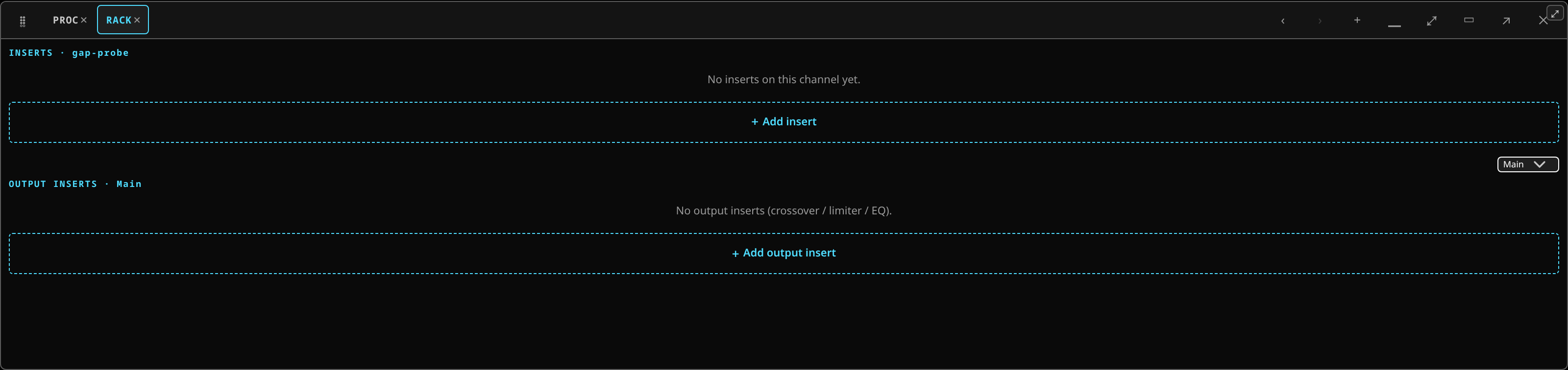 The plugin rack: the ordered insert chain for the selected strip.
From the Plugins tab on the channel strip, or from the Plugin rack chip. The picker:
- groups a curated set by role — EQ, compressor, glue bus comp, gate, de-esser, limiter, reverb, delay, saturation, modulation, filter;
- lets you search;
- shows each plugin's latency, and can sort by it or hide anything that is not live-safe.
Pick one and it drops into the chain.
If the picker is empty, see the plugin catalog is empty.
Reading a picker row
Each plugin in the picker carries up to four chips after its name:
- latency — the delay the plugin adds, in milliseconds, tinted by how it sits against the live allowance. A trailing ? means the figure is the curator's expectation and has not been measured on a rig yet.
- family — the house that makes it and its standing, such as
LSP · established. A dashed chip readsunproven here: a house with no live history on this desk, admitted on its measurements alone — a standing, not a verdict against it. Hover it for the curator's note. - cost — what racking it costs the path: nothing when it runs in the console's own engine, one graph buffer when it runs in the separate plugin host.
- in-process or isolated — shown with the plugin's details: whether it runs in the console's own engine or in the separate plugin host, where the strip pays one buffer for the round trip on top of the plugin's own latency. See what suitable means.
The generated editor
Tap a plugin to open its editor. There is no hand-built panel per plugin: the editor reads the plugin's own LV2 metadata and generates the right controls — knobs (linear or logarithmic), toggles, steppers, dropdowns for enumerated choices, file pickers for things like impulse responses.
It shows every parameter at once, sizing the grid to fit rather than hiding controls below a scroll. A bypass A/B and a remove button sit in the header, and the plugin's own LV2 presets load from the same place.
The consequence of generating editors is that a plugin the project has never seen works the day it is installed.
Order is signal order
In the Plugin rack, drag a unit to move it, or use its up/down buttons. Each unit shows its position, name, on/bypass state and its own latency, with the chain's total summed at the foot.
There are two racks — one for the selected channel, one for the selected output — so a loudspeaker-management chain on an output works exactly like inserts on a channel.
Between the units, dashed chips mark the chain's named feed points — Pre-EQ, Post-EQ,
Pre-Fader, Post-Insert-A and the rest — at the place each one taps. A send or a recorder set
to that point hears the chain up to there and nothing after it, which is how you see at a glance
whether a send takes a plugin's latency with it.
Latency
Every plugin costs something. The rack shows per-plugin and per-chain figures, the channel tile carries a latency badge that turns hot when the path runs long, and telemetry reports the mains-path total. Delay compensation keeps channels aligned with each other; it cannot make the total smaller.
A plugin that is fine on two channels can be expensive on forty. The catalog's latency figures and the live-safe filter exist for exactly that decision — see metering and latency.
Skins
Panels can wear skins: a texture and accent per plugin family, so a wall of open editors is easy to scan. Under a branded personality the panels take that brand's look, and a per-plugin picker in the editor header pins any panel to a skin you choose.
What is in the catalog
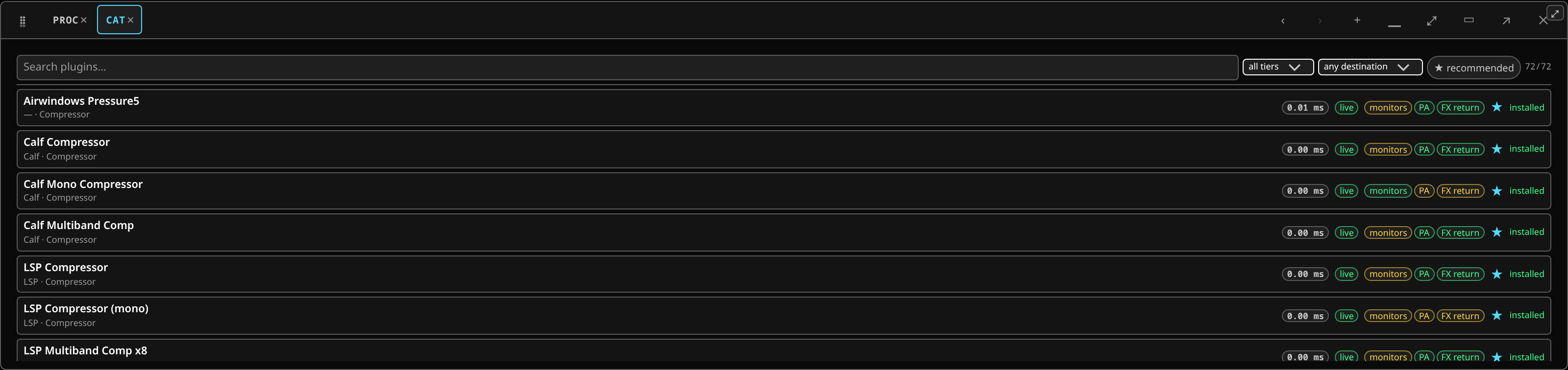 The plugin catalog: the curated set, with each plugin's measured latency and cost.
A curated set, chosen and ranked, not everything installed on the machine. A plugin you installed by hand will not appear even though the host can load it. That is deliberate: the catalog is a live-safe shortlist, not an inventory.
Each row carries its measured latency, a tier chip — live in green at 5 ms or less,
studio in amber above that, unclassified in red where there is no measurement to tier it
by — and three
destination chips, monitors, PA and FX return, each tinted by whether the
plugin fits that job: fits, check, not judged or does not fit. Hover a destination chip
for the measurements that decided it. A star marks the curator's recommendation.
The measurements behind that ranking are published in full: the plugin catalog lists every plugin the reference install carries with its latency, its CPU cost and whether it has earned a place on the console's own audio thread, and what to reach for is the short list for a show and for a studio mix.
Install a curated set with dnf — see packages.