Feedback suppression
The automatic feedback corrector — FBS — listens to a channel, recognises a ring, and plants a narrow cut at its frequency. It is the manual notch you would reach for anyway, automated, with rules.
It is per channel and off by default. Nothing is notched on a channel you have not armed.
Where it is
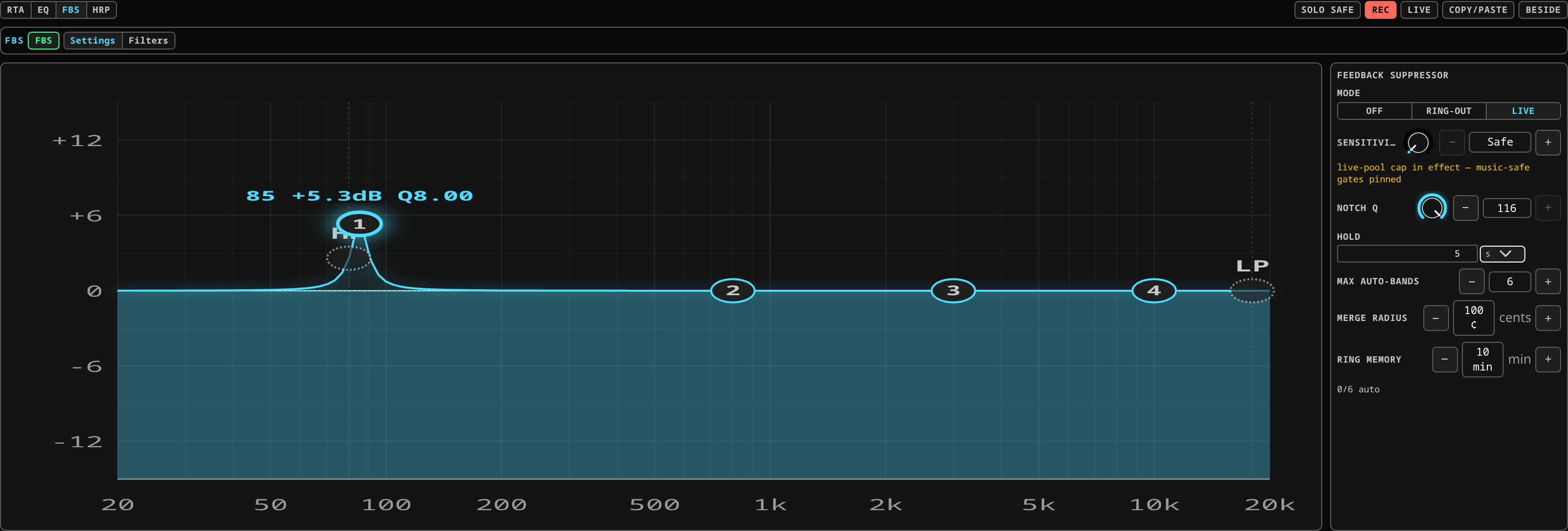 Feedback suppression: the mode, sensitivity, notch Q and merge radius, over the channel's own filter curve.
The Analysis chip in the channel view's CHANNEL block, on its FBS row (alongside Align and HRP, which share the same chip). It has two views of its own, picked from the bar above it:
- Settings — the controls.
- Filters — the roster of what has been planted, so it scrolls in its own view instead of pushing the controls off the screen.
The two modes
| Mode | When to use it | What it plants | Does it lift? |
|---|---|---|---|
| Off | Default. | nothing | — |
| Ring-out | Soundcheck: you are deliberately ringing the room out. | a true notch — a full cut at the found frequency | No. A ring-out find is a fact about the room, and it stays. |
| Live | During the show. | a bell whose depth follows how prominent the ring was | Yes — see below. |
The difference matters. A ring-out notch is a null: there is no gain left in it to bring back, which is exactly right for a permanent room correction. A live find has to be able to release, so it plants a gain-carrying bell instead.
Lifting
In Live mode, once a planted band's frequency has stayed clean for the hold time, its gain ramps back to 0 dB over about three seconds and the band is removed. The ramp is slow on purpose: a cut that disappeared in one step would be audible.
A ring returning during the hold resets it. Setting the hold to never keeps the band until you remove it. Ring-out bands never lift on their own.
The default hold is 5 seconds.
The controls
| Control | What it does |
|---|---|
| Mode | Off / Ring-out / Live. |
| Sensitivity | A single 0-to-1 scalar. 0 is the most conservative detection; raising it shortens the time to a decision and relaxes how prominent a ring must be before it counts. |
| Notch width (Q) | How narrow the planted cut is. The default is very narrow — around Q 116 — which is what makes a notch inaudible on programme material. |
| Clean hold | How long a live band's frequency must stay clean before it lifts, in seconds, or never. |
| Auto-band cap | The most bands FBS may plant on this channel. A full pool plants nothing more and says so. |
| Pool usage | How much of the cap is in use. |
About sensitivity
Raising sensitivity only ever shortens latency and relaxes prominence, within bounds that stay safe on music. In Live mode the discriminators that keep music from being mistaken for feedback stay pinned at every sensitivity setting — they relax only in the ring-out pool, where you are deliberately provoking rings and there is no programme material to protect. The panel says so beneath the control whenever the mode is live.
About notch width
A very low Q broadens the cut enough to dent the mix. The panel warns when you take it there. If you find yourself widening notches to catch a ring, the problem is usually the gain structure or a microphone position, not the notch.
What gets planted
A planted band is an ordinary EQ band in the channel's own EQ, named for its frequency and tagged with its origin. You can see it on the EQ curve like any other band.
FBS only ever modifies or removes bands it planted. A band you placed by hand is never touched, whatever the mode and whatever the sensitivity.
The roster
The Filters view lists every planted band with its frequency, lets you delete one individually, and offers a clear that removes all of them on this channel at once.
Clearing is how you start a fresh soundcheck. It removes only the automatic bands.
How to use it in practice
Soundcheck
- Set the channel to Ring-out.
- Bring the channel up until it rings; let FBS take it; repeat until you have the headroom you want.
- Look at the roster. A handful of narrow cuts is normal. Fifteen means something else is wrong — a microphone in a stupid place, a wedge pointed at a cardioid's rear lobe, or a gain structure that needs rebuilding.
- Switch the channel to Live for the show, or leave it in ring-out if you want the soundcheck's corrections frozen and no further automatic action.
During a show
Leave armed channels in Live. Rings get caught and released; the roster tells you afterwards where the room was fighting you.
Worked example: ringing out a vocal microphone
The room is empty, the PA is on, and channel 1 is the lead vocal microphone in front of the wedge.
- Select channel 1 in the fader bay, and open Layouts ▸ Processing. Go to the EQ tab and pick the FBS panel beside the curve.
- Set the mode to Ring-out. The channel's state dot changes to say the corrector is armed. Nothing has been planted yet — the roster is empty.
- Bring the channel fader up slowly, listening. At some point the room takes off on one frequency and starts to sing.
- Watch it stop. Within a second or so the ring dies away by itself. That is the notch landing.
- Look at the EQ curve. There is now a very narrow cut where the ring was, drawn like any other band and labelled with its frequency. It is a true notch: a ring-out find is a fact about the room, and it stays.
- Bring the fader up further. The room takes off somewhere else, and the same thing happens. Repeat until you have the level you need, or until it stops being worth it.
- Open the Filters view and read what you got.
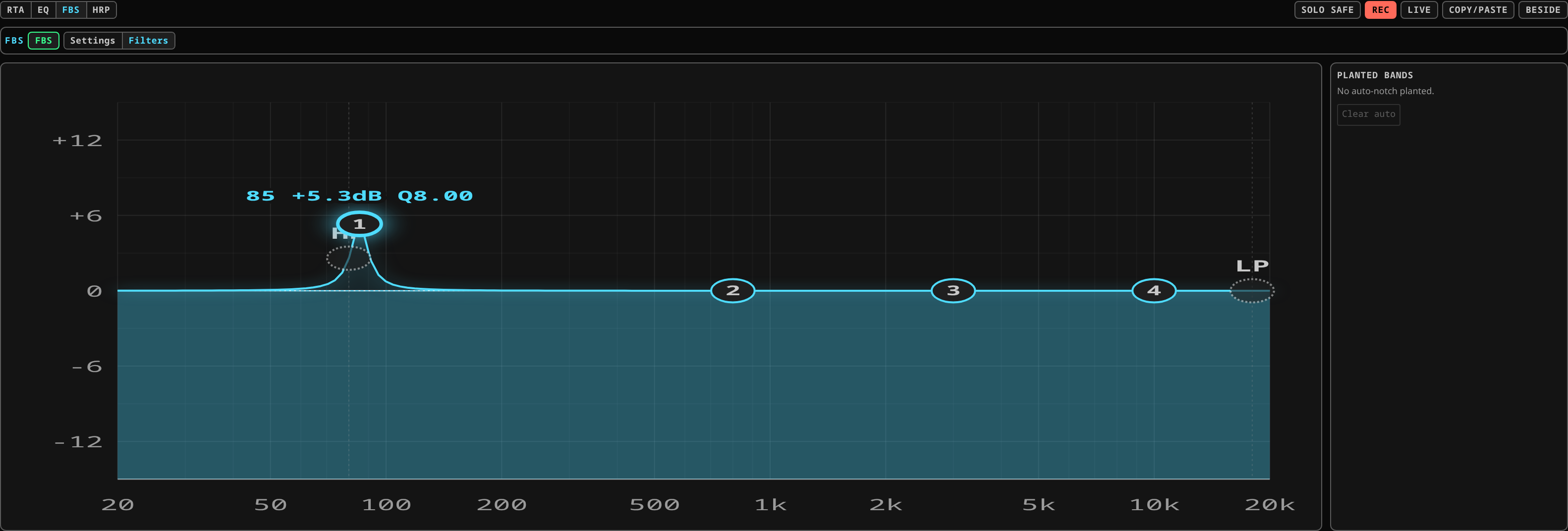 The planted-band roster with the channel armed in Live and nothing ringing yet: "No auto-notch planted", and Clear auto greyed out because there is nothing to clear. After a ring-out each band appears here with its frequency and its own delete.
What you should see: a handful of narrow cuts — three, five, perhaps eight — at scattered frequencies, and several more decibels of gain before feedback than you started with.
What it means if you do not:
- Nothing was planted and the room still rings. Check the mode is actually Ring-out and not Off, and check you are ringing the channel you armed — a microphone into channel 1 while channel 2 is armed will ring all night. See the patchbay to confirm what is patched where.
- Fifteen notches and it still rings. The corrector is not the problem. A microphone in a poor position, a wedge pointed into a cardioid's rear lobe, or gain structure that needs rebuilding will all produce this, and no amount of notching will fix any of them.
- The whole mix went dull. The notch width has been widened too far. Put it back to the default and clear the roster with clear, which removes only the automatic bands.
Then switch the channel to Live for the show — or leave it in Ring-out if you want tonight's corrections frozen and no further automatic action.
What it does not do
- It does not replace gain structure, microphone choice or wedge aiming.
- It does not run on channels you have not armed.
- It does not touch your EQ bands. It plants its own into the same channel EQ, tagged as FBS, and those tagged bands are the only ones it will ever edit or remove — a band you dialled by hand is never moved, re-shaped or deleted. Expect to see the FBS bands in the EQ display; that is where they live.
- On music, in live mode, it deliberately errs towards doing nothing.
Related
- The channel's state dot shows a distinct colour when a ring is flagged; see the channel strip.
- EQ and dynamics — the EQ the bands are planted into.