Console profiles, personalities and themes
Three independent pickers in the header. They do different jobs and it is worth keeping them apart.
Console profile — what the desk is
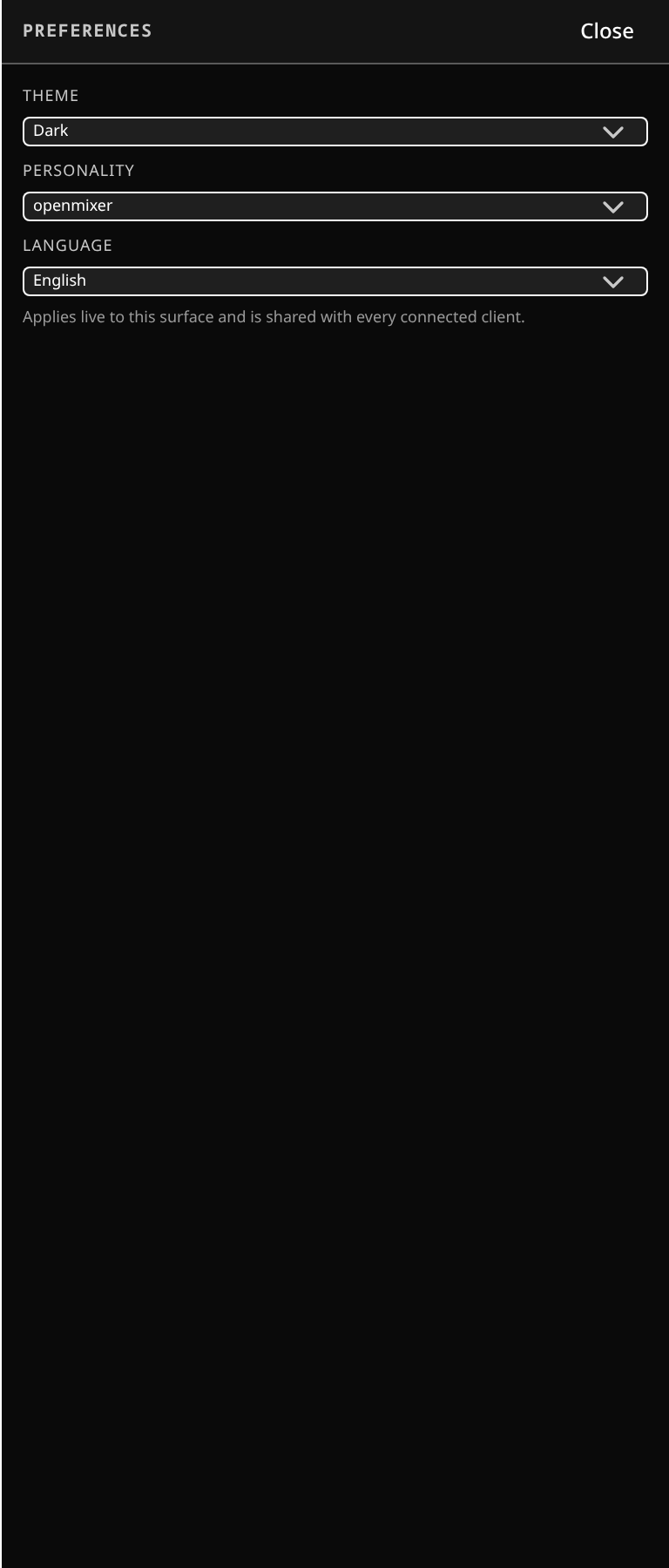 Preferences in the config zone: console profile, personality, theme, density and language.
A console profile sets the desk's capabilities: how many input channels and buses, how many EQ bands and of what kind, which dynamics types are available and in how many stages, whether the processing order is free or fixed, how many inserts, which send tap points exist.
- openmixer — the default. Restricts nothing: the caps are the engine's own maxima, every section present, free reordering, a dynamic-band parametric EQ (add and remove bands freely, no fixed count), two dynamics stages with the full type list.
- Midas PRO — a fixed-format desk: fixed per-type bus counts, a four-band musical EQ (fixed named bands, no adding or removing), gate before compressor enforced, a single insert.
- Roland M-5000 — the M-5000's own shape.
Choosing a restrictive profile is how you make the software behave like the desk your crew already knows. A capability a profile does not have is absent, not greyed out — there is no pretending.
Changing profile changes what the console can do, so it is a setup decision, not a during-the-show one. A saved session records the size it was built at; a profile that cannot express that size will not silently shrink it.
Personality — what the desk looks like
Personality sets brand character: openmixer (the default look), the three house looks Classic Analog, Modern Digital and Vintage, and the four homages Midas, Roland, SSL and Waves. It restyles faders, knobs, meters and accents — a generic homage, never a copy — and plugin panels follow the active personality unless you pin them.
Personality changes appearance only. It never changes what the desk can do; that is the profile's job.
Theme — brightness and accessibility
Theme sets dark (the default), high contrast, or light.
High contrast separates meter zones by brightness as well as by colour, for stage glare and for colour-blind safety. It holds under every personality.
The three themes
The same fader bay, photographed once in each theme at the same density.
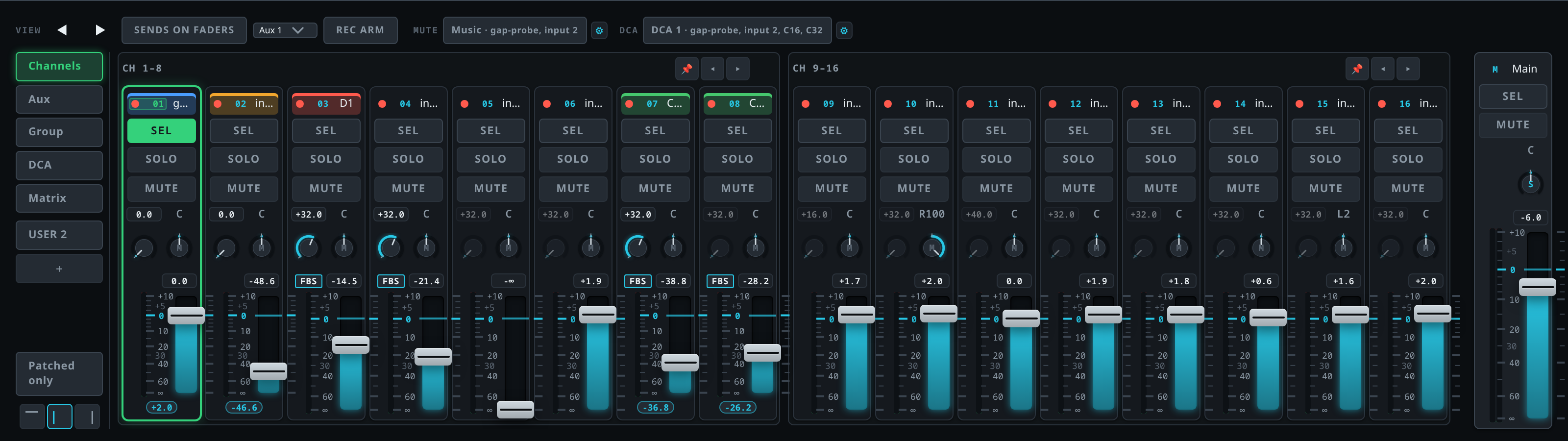 Dark — the default a new console starts in.
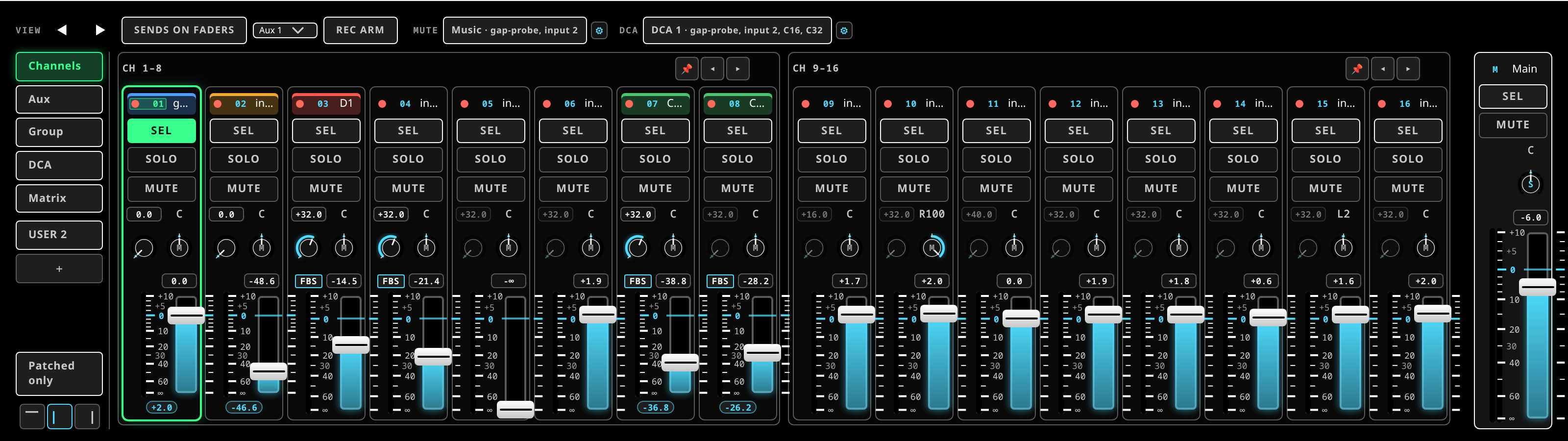 High contrast — a black field, white type, meter zones separated by brightness as well as colour. The rest of this manual is printed in it.
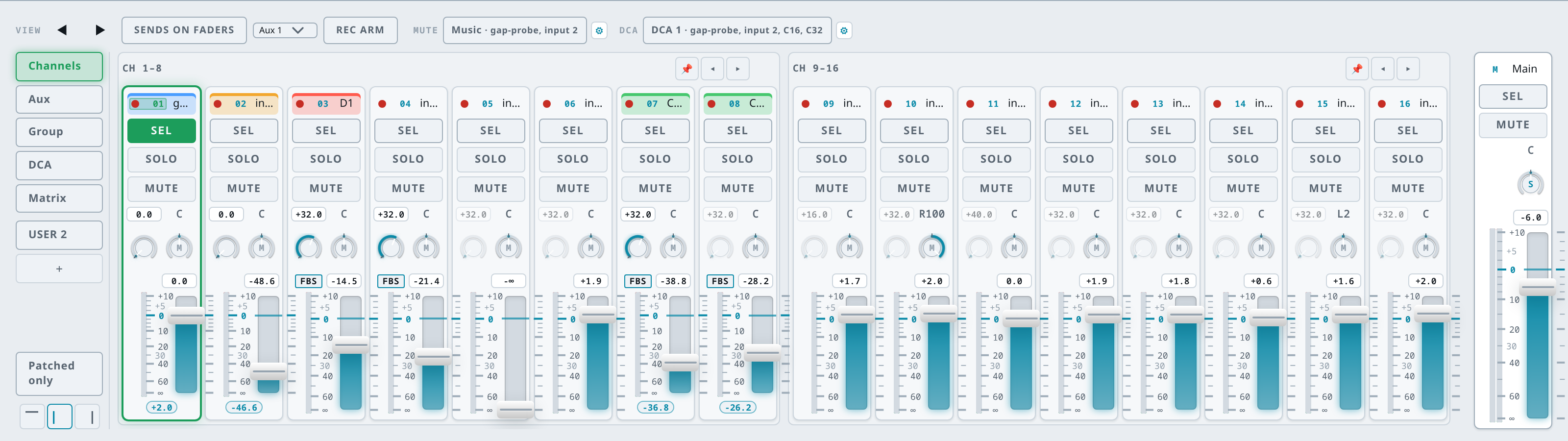 Light — for a bright room.
Every other figure in this manual is captured in the high-contrast theme at the compact density, because that is how the desk is run: high contrast on the narrowest screen you are likely to be carrying. A picture taken at a roomier density teaches a layout you will not see when it matters, and a picture taken light teaches a surface you will not be looking at.
They compose
"SSL under light" is a light field with SSL-blue controls. High contrast holds whatever personality is active. All three remember your choice.
Density
Not a picker but the same kind of setting: the density control in the layout chip row sets how tightly the surface packs — compact, normal or comfortable, plus auto, which picks one for the screen you are on. On a small tablet compact fits more strips; on a large touchscreen at front of house comfortable is easier to hit in the dark.
Language
The surface's language is selectable in Setup. English is the default; Catalan and Spanish are fully-translated selectable locales.
Numbers and dates follow the chosen locale — Catalan uses comma decimals, and the numeric fields accept either separator, so nothing has to be retyped when you switch.