Keyboard reference
Every control on the surface is reachable by keyboard, with a visible focus ring.
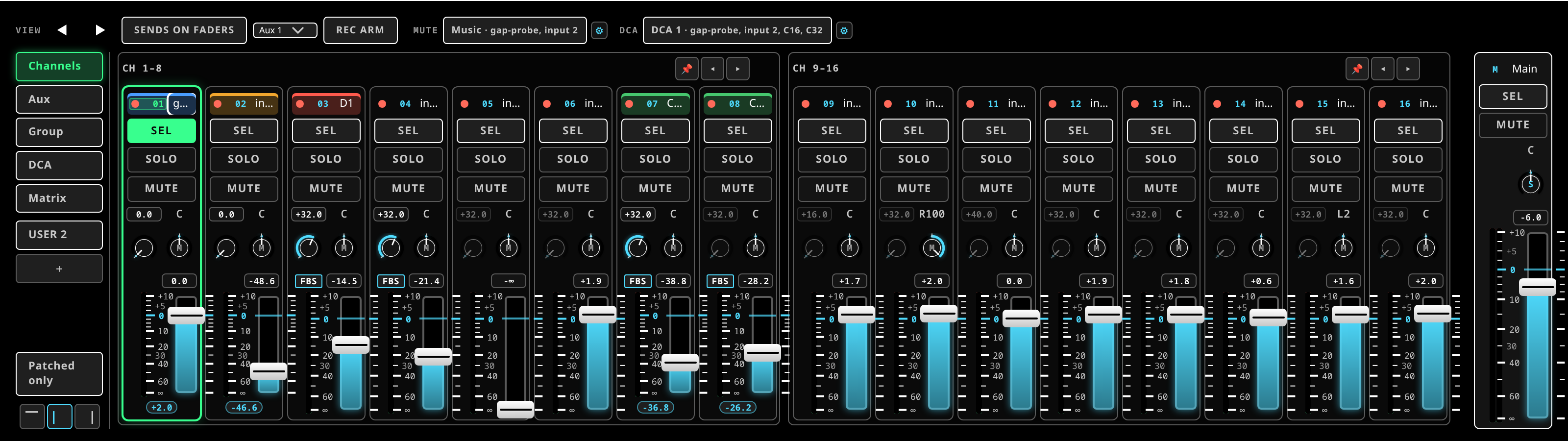 Keyboard focus in the bay: a control shows a visible ring before it takes an arrow key.
Controls
- Faders and knobs take drag, wheel and arrow keys; hold
Shiftfor coarse steps. - Double-click or
Enterresets a control to its default — unity for a fader, centre for pan. - In the EQ curve, arrows nudge the selected band and
Entertoggles a filter.
Shortcuts
| Key | Action |
|---|---|
← / → (or [ / ]) |
select the previous / next channel |
M |
mute the selected channel |
S |
solo the selected channel |
F |
flip the bay to sends-on-faders, and back |
, / . |
page the bank left / right |
1–8 |
recall a saved snapshot |
Ctrl/⌘ + S |
save the session |
Ctrl/⌘ + Z |
undo |
Ctrl/⌘ + Shift + Z |
redo |
Ctrl + Y |
redo (the Windows-style alias) |
Shortcuts are suppressed while you are typing in a text field, so renaming a channel M
does not mute it.
M and S act on the selected channel. Select with the arrow keys or by tapping a
strip.
Quick answers
A screen looks stale. It has probably lost its connection. Reload it and it re-hydrates from the server.
A control is greyed out or absent. The bound device does not offer that feature — the surface honours each adapter's and each console profile's capabilities rather than offering a control that would do nothing.
The surface says Demo (offline). It cannot reach a server. See the web UI cannot reach the server.